<?xml version="1.0" encoding="utf-8"?><feed xmlns="http://www.w3.org/2005/Atom" ><generator uri="https://jekyllrb.com/" version="4.4.1">Jekyll</generator><link href="/feed.xml" rel="self" type="application/atom+xml" /><link href="/" rel="alternate" type="text/html" /><updated>2025-12-09T23:01:41-08:00</updated><id>/feed.xml</id><entry><title type="html">Site Update and Trying to Draw More</title><link href="/2025/12/09/site-update-and-trying-to-draw-more.html" rel="alternate" type="text/html" title="Site Update and Trying to Draw More" /><published>2025-12-09T22:56:00-08:00</published><updated>2025-12-09T22:56:00-08:00</updated><id>/2025/12/09/site-update-and-trying-to-draw-more</id><content type="html" xml:base="/2025/12/09/site-update-and-trying-to-draw-more.html"><![CDATA[<p>I just updated my site with a new <a href="/Sketches/index">sketches</a> page. Right now it only has one drawing, but I want to just start posting my life drawings and sketches that I do in my every day.</p>

<p>Speaking of drawing, I don’t really draw that much lately, which is something that I want to work on. I remember when I first started learning design, I heard that you should always take any opportunity to get outside and draw something. I had basically completely forgotten about that piece of advice until pretty recently. I want to really start taking that seriously, because now I see the value in just taking a break from the screen to be creative in a very primitive way, even if it’s just for your mental health.</p>

<p>Anyways. Does anyone read these things? If you read this leave a message in my guestbook, its on my home page =)</p>]]></content><author><name></name></author><summary type="html"><![CDATA[I just updated my site with a new sketches page. Right now it only has one drawing, but I want to just start posting my life drawings and sketches that I do in my every day.]]></summary></entry><entry><title type="html">12 06 2026</title><link href="/2025/12/06/12-06-2026.html" rel="alternate" type="text/html" title="12 06 2026" /><published>2025-12-06T00:00:00-08:00</published><updated>2025-12-06T00:00:00-08:00</updated><id>/2025/12/06/12-06-2026</id><content type="html" xml:base="/2025/12/06/12-06-2026.html"><![CDATA[<p>I’ve been wanting to start blogging for a long time now, but my life is pretty busy with school work and other things. I decided that I’d just start writing down whatever is on my mind.</p>

<h3 id="jsdoc-i-love-u-3">JSDOC I love u &lt;3</h3>
<p>Javascript is my first coding language and I am still learning. JSDOC is something that i recently discovered that has been a game changer when it comes to understanding my own code. 
If you are new-ish to Javascript like me, and have looked at a lot of code, you might have seen something that looks like this:</p>

<div class="language-js highlighter-rouge"><div class="highlight"><pre class="highlight"><code>
<span class="cm">/**
*description
*@param {any} arg description
*/</span>

</code></pre></div></div>
<p>This is JSDOC, and it’s a special way to keep track of your functions, objects, variables or pretty much anything that you want to document. The really cool part about JSDOC is that it comes with a program <code class="language-plaintext highlighter-rouge">jsdoc</code> that you can run to analyze all of your javascript files, and then spit out a whole ass <em>website</em> with all of this info organized and pre-formatted. It gets even cooler because you can download templates to apply to your outputted site. the one I use comes with a light/dark theme toggle and a search bar. 
Probably a very basic concept that most people who code would know, but It’s still my first year with Javascript, so its new to me. 
And if you are completely new coding and have no idea what I’m talking about, lets say I have a function:</p>

<div class="language-js highlighter-rouge"><div class="highlight"><pre class="highlight"><code>
<span class="c1">// checks if the number is less than another, if so, sets to the second argument.</span>
<span class="kd">function</span> <span class="nf">reset</span><span class="p">(</span><span class="nx">num</span><span class="p">,</span> <span class="nx">or</span><span class="p">){</span>
	<span class="k">if </span><span class="p">(</span> <span class="nx">num</span> <span class="o">&gt;</span> <span class="nx">or</span> <span class="p">)</span> <span class="p">{</span>
		<span class="nx">num</span> <span class="o">=</span> <span class="nx">or</span>
	<span class="p">}</span>
<span class="p">}</span>

<span class="kd">let</span> <span class="nx">startingNumber</span> <span class="o">=</span> <span class="mi">1</span><span class="p">;</span>
<span class="kd">let</span> <span class="nx">myNumber</span> <span class="o">=</span> <span class="nx">startingNumber</span> <span class="o">+</span> <span class="mi">9</span><span class="p">;</span>

<span class="nx">console</span><span class="p">.</span><span class="nf">log</span><span class="p">(</span><span class="nx">myNumber</span><span class="p">)</span>
<span class="c1">// --&gt; 9</span>
<span class="nf">reset</span><span class="p">(</span><span class="nx">myNumber</span><span class="p">,</span><span class="nx">startingNumber</span><span class="p">)</span>
<span class="c1">// --&gt; 1</span>

</code></pre></div></div>
<p>This is a completely useless function that reduces the number to a given value if it is less than the current value. But let’s say I want to use this function much later on in my project, and I’ve forgotten which arguments I need to use it, or how the function even works. If I pass in the wrong arguments, Javascript will not complain, you will just not get the result you wanted. I could search through my code and see if I’ve left myself any notes, but that is very inefficient, especially if you have to reference back over and over. That’s why we use JSDOC.</p>

<div class="language-js highlighter-rouge"><div class="highlight"><pre class="highlight"><code>
<span class="cm">/**
*checks if the number is less than another. if so, sets to the second argument.
*@param {number} num the number to test.
*@param {number} or the original number to reset to.
*@returns {number}
*/</span>
<span class="kd">function</span> <span class="nf">reset</span><span class="p">(</span><span class="nx">num</span><span class="p">,</span> <span class="nx">or</span><span class="p">){</span>
	<span class="k">if </span><span class="p">(</span> <span class="nx">num</span> <span class="o">&gt;</span> <span class="nx">or</span> <span class="p">)</span> <span class="p">{</span>
		<span class="nx">num</span> <span class="o">=</span> <span class="nx">or</span>
	<span class="p">}</span>
<span class="p">}</span>

</code></pre></div></div>
<p>When JSDOC runs on this code, it will check each of the <code class="language-plaintext highlighter-rouge">@</code> tags and map them to the function directly below it. This way, you can document in detail which type each argument expects, as well as what is returned, if anything. You will also notice that after adding this documentation, when you start to type out this function in a IDE like VSCode, it will provide a preview to this information, which makes coding stupidly simple.</p>

<h2 id="my-current-thoughts-on-ai">My Current Thoughts on AI</h2>
<p>I’ve thought a lot about how best to approach this subject, but I guess it all just comes down to one thing:</p>
<h5 id="ai-in-creative-work-is-lazy">AI in creative work is lazy</h5>
<p>The whole point of being creative is being able to solve problems. And in my opinion, that includes every little tedious detail that goes into creating. You can’t skip any of that.</p>

<h5 id="it-doesnt-even-look-good">It Doesn’t Even Look Good</h5>
<p>At this point the times that AI is able to create something remotely captivating is an anomaly rather than a feature.</p>

<h5 id="its-not-even-fun">It’s Not Even Fun</h5>
<p>I’m sure there is someone out there who enjoys constructing prompts and hoping to get the right output, but for me personally it feels soul sucking, and a little too reminiscent of the book-writing machines from the book 1984. When you consider the fact that LLM technology is literally designed to give the lowest learning curve, LLMs just fail to give that feeling of rigorous learning that you get from learning literally anything.</p>

<p>All in all, I hate it, and I don’t think it’s real Design. You can quote me on that.</p>]]></content><author><name>Jaxon Price</name></author><summary type="html"><![CDATA[I’ve been wanting to start blogging for a long time now, but my life is pretty busy with school work and other things. I decided that I’d just start writing down whatever is on my mind.]]></summary></entry><entry><title type="html">Making an ecosystem simulation</title><link href="/2025/12/01/Making-an-Ecosystem-Simulation.html" rel="alternate" type="text/html" title="Making an ecosystem simulation" /><published>2025-12-01T18:37:00-08:00</published><updated>2025-12-01T18:37:00-08:00</updated><id>/2025/12/01/Making%20an%20Ecosystem%20Simulation</id><content type="html" xml:base="/2025/12/01/Making-an-Ecosystem-Simulation.html"><![CDATA[<p><img src="/assets/images/Making_an_Ecosystem_Simulation/Recording%202025-11-23%20at%2022.50.02.gif" alt="A screencap of my simulation. There is a button to spawn fish, which follow my cursor around the screen. There is a bright blue background and colorful, 8-bit hand-drawn fish floating around the screen." />
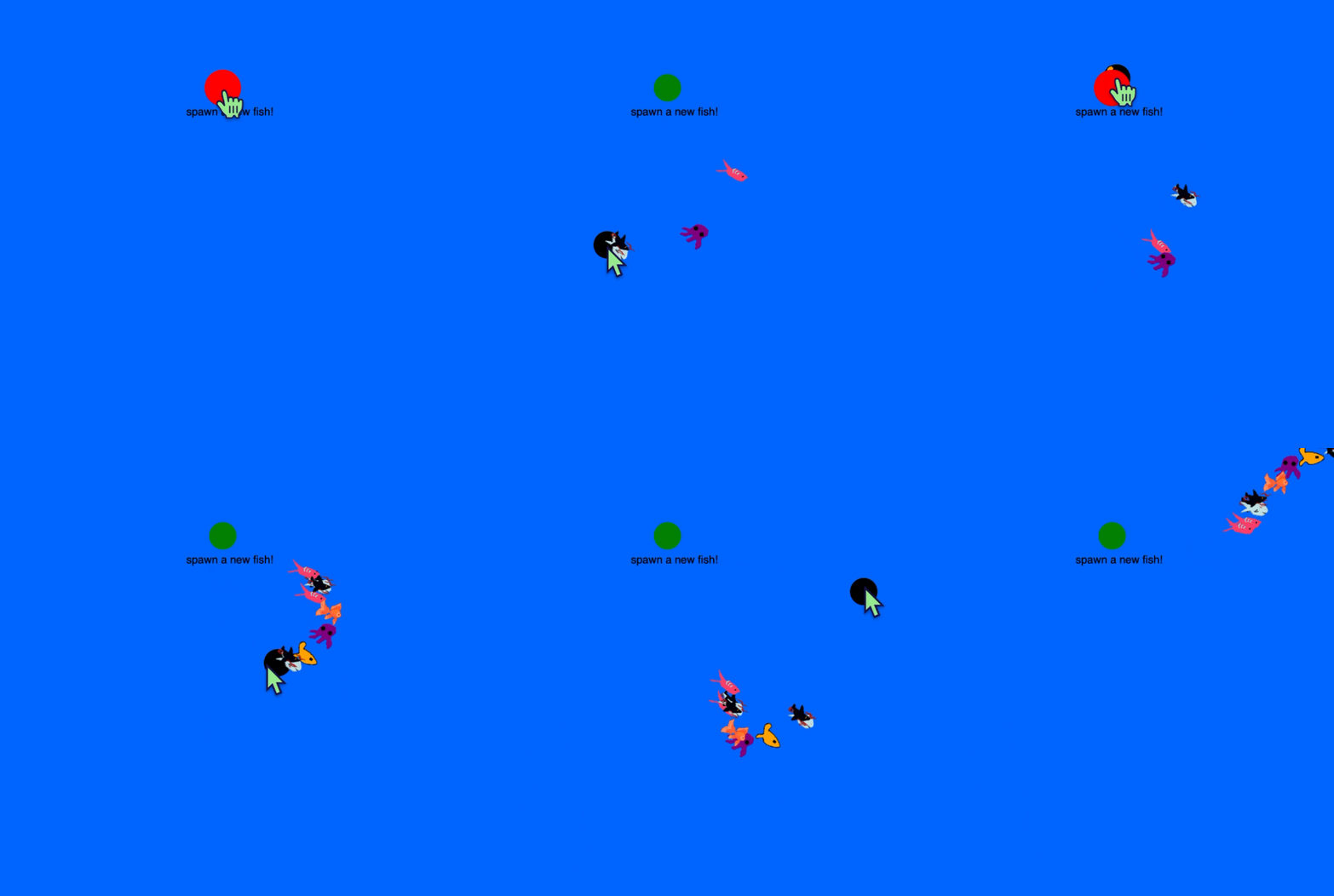
<em>my current simulation</em></p>

<p>Over the summer, as i started getting into coding, I challenged myself to make a interactive ecosystem in p5.js. I got as far as adding in some ‘fish’, coding a basic physics engine with a buoyancy system for the water, and a simple seeking method.</p>

<p>I eventually gave up due to being inexperienced with javascript, and just not having the time or motivation to continue. I got the opportunity to choose a self-guided project for my second year in design school, and I thought it would be a good opportunity to try again.</p>

<p>In my first critique session, as I presented my project, I got a lot of interesting ideas, like having the simulation project on a large screen, or having users be able to submit their own drawings as fish. This got me excited about the project again, but I had to figure out how to actually make that, which was much more complicated than I thought it would be. To make a long story short, I had to create my p5.js sketch as a <a href="https://nodejs.org/en">node.js</a> app so that I could access a directory of image files on a local server. It was my first time using node.js, and my experience with it so far tells me I probably will not be touching it again for a good while. I eventually achieved what I needed to do, but looking back I probably should have just move over to <a href="https://processing.org">Processing</a> instead.</p>

<p>After finally figuring that out, I needed a few weeks to just not think about coding at all. This weekend I sat down to add some new features.</p>

<p>The first thing I wanted to do was to upgrade the physics library. I tried <a href="https://brm.io/matter-js/">matter.js</a> first, thinking it would be fun to have some collisions, but it got slow quickly. This definitely would not work for the amount of complexity im imagining for this project (schools of fish swimming on screen). I then tried <a href="https://github.com/hapticdata/toxiclibsjs">toxiclibs.js</a>, as recommended in Nature of Code, and althought it took a good while of digging to figure out how to use this library, I eventually was able to set up each fish as a particle with physics and boundary collision. So yeah, basically I spent about a whole lot of time just to end up back where I started. But I did learn a lot, and I think the additions I have in my code now will make things more manageable.</p>

<p>I also created a system that allows objects to seek out other objects. Right now, I am trying to fix some of the movement animations. I am working on making the fish rotate to follow the direction it’s headed, but the issue I’m having is that the Verlet physics integration is registering the current and the previous positions as being the same, which means I am not able to accurately calculate the velocity. Oh, and I’ve started to notice things gradually slowing as there are more and more particles, so either I’m going to have to look into how to optimize my code eventually, or I’m going to have to rewrite it in Processing(Java) at some point…</p>

<p>Anyways. This is just me trying to write down what I’m struggling with so I can maybe figure it out eventually. For now, I am going to take a break, enjoy the cozy weather and work on some other projects that I’ve been procrastinating.</p>

<p>Thanks for reading, If you’d like to check out the current state of this project check it out here on Github.</p>

<p>Feel free to reach out to connect and chat, or if maybe you have a solution to my problem!</p>]]></content><author><name>Jaxon</name></author><summary type="html"><![CDATA[my current simulation]]></summary></entry><entry><title type="html">Using P5.js With Html</title><link href="/2025/09/01/Using-p5.js-with-html.html" rel="alternate" type="text/html" title="Using P5.js With Html" /><published>2025-09-01T00:00:00-07:00</published><updated>2025-09-01T00:00:00-07:00</updated><id>/2025/09/01/Using-p5.js-with-html</id><content type="html" xml:base="/2025/09/01/Using-p5.js-with-html.html"><![CDATA[<p>One of the things that I still struggle with is how to integrate p5.js on a web page and make it interact with html elements. I figured I could make this tutorial to help remember some of these concepts as I learn them.</p>

<p>The first thing I’m going to do is create a basic sketch with p5.js. I have a concept in mind of a 3D floating sphere that changes colors when different buttons on the page are pressed.
To start off, I create a basic html page with all of the basic things I need:</p>

<div class="language-html highlighter-rouge"><div class="highlight"><pre class="highlight"><code><span class="nt">&lt;html&gt;</span>
    <span class="nt">&lt;head&gt;</span>
        <span class="nt">&lt;meta</span> <span class="na">charset=</span><span class="s">"UTF-8"</span><span class="nt">&gt;</span>
        <span class="nt">&lt;title&gt;</span>My Sketch<span class="nt">&lt;/title&gt;</span>
        <span class="c">&lt;!-- The p5.js Library --&gt;</span>
        <span class="nt">&lt;script </span><span class="na">src=</span><span class="s">"p5.min.js"</span><span class="nt">&gt;&lt;/script&gt;</span>
    <span class="nt">&lt;/head&gt;</span>
    <span class="nt">&lt;body&gt;</span>
        <span class="c">&lt;!-- Div element for the p5.js sketch. --&gt;</span>
        <span class="nt">&lt;div</span> <span class="na">id=</span><span class="s">"sketch-div"</span><span class="nt">&gt;&lt;/div&gt;</span>
    <span class="nt">&lt;/body&gt;</span>
    <span class="c">&lt;!-- Script element for the sketch. --&gt;</span>
    <span class="nt">&lt;script&gt;</span>
  	<span class="c1">// Sketch goes here.</span>
    <span class="nt">&lt;/script&gt;</span>
<span class="nt">&lt;/html&gt;</span>

</code></pre></div></div>

<p>I attach a script element at the bottom, and this is where I will write my custom sketch. Don’t forget to embed the p5.js library. I also added a custom div that I will later use to contain my sketch.
This is the basic sketch that I start with:</p>

<div class="language-javascript highlighter-rouge"><div class="highlight"><pre class="highlight"><code>
        <span class="kd">function</span> <span class="nf">setup</span><span class="p">(){</span>
            <span class="nf">createCanvas</span><span class="p">(</span><span class="mi">300</span><span class="p">,</span> <span class="mi">300</span><span class="p">,</span> <span class="nx">WEBGL</span><span class="p">)</span>
        <span class="p">}</span>

        <span class="kd">function</span> <span class="nf">draw</span><span class="p">()</span> <span class="p">{</span>
            <span class="nf">sphere</span><span class="p">()</span>
        <span class="p">}</span>

</code></pre></div></div>

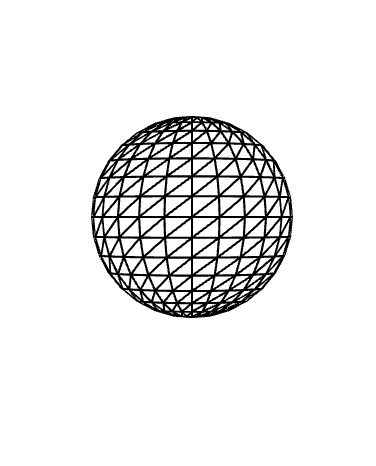
<p>This calls two functions, draw(), and setup(), which every p5.js needs to display. This is what I get when I launch my html file in the browser, so I know everything is working correctly:
<img src="/assets/images/Using_p5.js_With_Html/1.png" alt="" /></p>

<p>Using the sphere() function inside of the draw() function will draw a sphere of a default size directly in the center of the canvas. 
Now that everything is working properly, It’s time to add some styling. I add this code directly before my sphere() function:</p>

<div class="language-javascript highlighter-rouge"><div class="highlight"><pre class="highlight"><code><span class="c1">// Lighting and Styling</span>
            <span class="nf">lights</span><span class="p">()</span>
            <span class="nf">noStroke</span><span class="p">()</span>
            <span class="nf">ambientMaterial</span><span class="p">(</span><span class="dl">'</span><span class="s1">green</span><span class="dl">'</span><span class="p">)</span>
            
            <span class="nf">sphere</span><span class="p">()</span>
</code></pre></div></div>

<p><img src="/assets/images/Using_p5.js_With_Html/2.png" alt="" />)<!-- {"width":470} --></p>

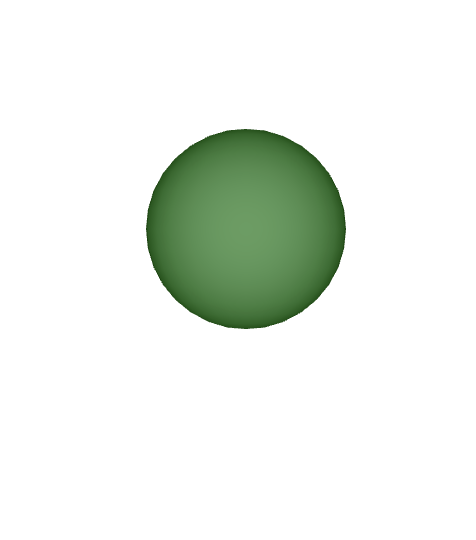
<p>I kept thing simple with just a simple ambient material which sets a general color for the 3D object. I removed the wireframe with noStroke(), and added some lighting with lights(), which is neccesary or your sphere will be in pitch black darkness.</p>

<p>Now, time to program Interactivity. I want to create a function that allows me to change the color of the object. 
The first thing I need to do, since I know the color argument of ambientMaterial() will be changing, I will make this value a variable <code class="language-plaintext highlighter-rouge">mycolor</code>, which i can manipulate using a function:</p>
<div class="language-plaintext highlighter-rouge"><div class="highlight"><pre class="highlight"><code>function setColor(string) {
            myColor = string
        }
</code></pre></div></div>

<p>when I call this function in draw() with <code class="language-plaintext highlighter-rouge">setColor([color])</code>, I can change the color. But now I want to create code that changes this variable based on the input recieved from html buttons. First, I create the buttons:</p>

<div class="language-html highlighter-rouge"><div class="highlight"><pre class="highlight"><code>  <span class="nt">&lt;p&gt;</span>Click a button to update the color!<span class="nt">&lt;/p&gt;</span>

        <span class="c">&lt;!-- Buttons to Control the Color --&gt;</span>
        <span class="nt">&lt;button</span> <span class="na">id = </span><span class="s">"yellow-button"</span><span class="nt">&gt;</span>Yellow<span class="nt">&lt;/button&gt;</span>
        <span class="nt">&lt;button</span> <span class="na">id = </span><span class="s">"red-button"</span><span class="nt">&gt;</span>Red<span class="nt">&lt;/button&gt;</span>
        <span class="nt">&lt;button</span> <span class="na">id = </span><span class="s">"green-button"</span><span class="nt">&gt;</span>Green<span class="nt">&lt;/button&gt;</span>

</code></pre></div></div>
<p>With these buttons created and labeled, I go back to my script, and add the following variables to reference them:</p>
<div class="language-javascript highlighter-rouge"><div class="highlight"><pre class="highlight"><code><span class="c1">// Default variable for sphere color.</span>
 <span class="kd">let</span> <span class="nx">myColor</span> <span class="o">=</span> <span class="dl">''</span>

        <span class="kd">let</span> <span class="nx">redButton</span> <span class="o">=</span> <span class="nb">document</span><span class="p">.</span><span class="nf">getElementById</span><span class="p">(</span><span class="dl">'</span><span class="s1">red-button</span><span class="dl">'</span><span class="p">);</span>
        <span class="kd">let</span> <span class="nx">yellowButton</span> <span class="o">=</span> <span class="nb">document</span><span class="p">.</span><span class="nf">getElementById</span><span class="p">(</span><span class="dl">'</span><span class="s1">yellow-button</span><span class="dl">'</span><span class="p">);</span>
        <span class="kd">let</span> <span class="nx">greenButton</span> <span class="o">=</span> <span class="nb">document</span><span class="p">.</span><span class="nf">getElementById</span><span class="p">(</span><span class="dl">'</span><span class="s1">green-button</span><span class="dl">'</span><span class="p">);</span>

</code></pre></div></div>

<p>then comes the new functions to change the color.</p>
<div class="language-javascript highlighter-rouge"><div class="highlight"><pre class="highlight"><code>
         <span class="nx">greenButton</span><span class="p">.</span><span class="nf">addEventListener</span><span class="p">(</span><span class="dl">'</span><span class="s1">click</span><span class="dl">'</span><span class="p">,</span> 
         <span class="p">()</span> <span class="o">=&gt;</span> <span class="p">{</span><span class="nx">myColor</span> <span class="o">=</span> <span class="dl">'</span><span class="s1">green</span><span class="dl">'</span><span class="p">})</span>
        
         <span class="nx">redButton</span><span class="p">.</span><span class="nf">addEventListener</span><span class="p">(</span><span class="dl">'</span><span class="s1">click</span><span class="dl">'</span><span class="p">,</span>
         <span class="p">()</span> <span class="o">=&gt;</span> <span class="p">{</span><span class="nx">myColor</span> <span class="o">=</span> <span class="dl">'</span><span class="s1">red</span><span class="dl">'</span><span class="p">})</span>
        
         <span class="nx">yellowButton</span><span class="p">.</span><span class="nf">addEventListener</span><span class="p">(</span><span class="dl">'</span><span class="s1">click</span><span class="dl">'</span><span class="p">,</span>
         <span class="p">()</span> <span class="o">=&gt;</span> <span class="p">{</span><span class="nx">myColor</span> <span class="o">=</span> <span class="dl">'</span><span class="s1">yellow</span><span class="dl">'</span><span class="p">})</span>

<span class="o">&lt;</span><span class="sr">/script</span><span class="err">&gt;
</span></code></pre></div></div>
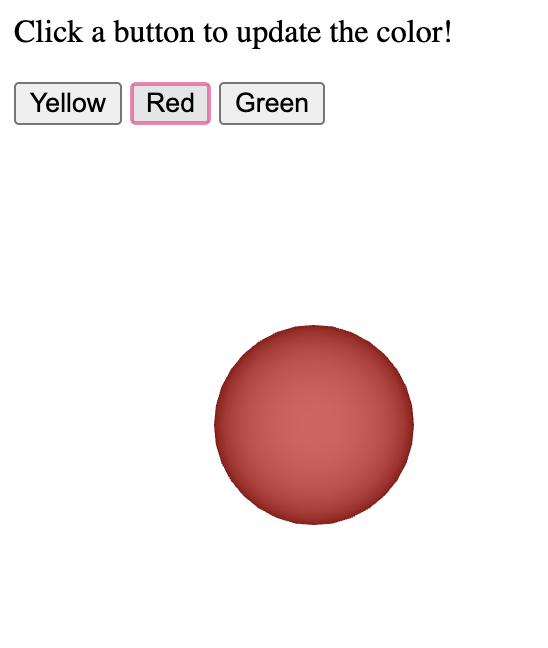
<p>I delete the function from earlier, and add an Event Listener, which takes two arguments, an event, and the action to be taken. This function waits for the event to take place, then execures the function in the second argument. I input an anymous function that changes the value of <code class="language-plaintext highlighter-rouge">myColor</code> to a set string.
.<img src="/assets/images/Using_p5.js_With_Html/3.png" alt="" />
and that’s it! Now the only thing left to do is add some styling. I use the custom ID tag to identify and style the p5.js Canvas and attach it to a <code class="language-plaintext highlighter-rouge">&lt;div&gt;</code> block using this code:</p>
<div class="language-javascript highlighter-rouge"><div class="highlight"><pre class="highlight"><code>  <span class="kd">function</span> <span class="nf">setup</span><span class="p">(){</span>
            <span class="kd">let</span> <span class="nx">sketchDiv</span> <span class="o">=</span> <span class="nb">document</span><span class="p">.</span><span class="nf">getElementById</span><span class="p">(</span><span class="dl">'</span><span class="s1">sketch-div</span><span class="dl">'</span><span class="p">)</span>
            <span class="kd">let</span> <span class="nx">divWidth</span> <span class="o">=</span> <span class="nx">sketchDiv</span><span class="p">.</span><span class="nx">clientWidth</span><span class="p">;</span>
            <span class="kd">let</span> <span class="nx">divHeight</span> <span class="o">=</span> <span class="nx">sketchDiv</span><span class="p">.</span><span class="nx">clientHeight</span><span class="p">;</span>
            <span class="kd">let</span> <span class="nx">myCanvas</span> <span class="o">=</span> <span class="nf">createCanvas</span><span class="p">(</span><span class="nx">divWidth</span><span class="p">,</span> <span class="nx">divHeight</span><span class="p">,</span> <span class="nx">WEBGL</span><span class="p">);</span>
            <span class="nx">myCanvas</span><span class="p">.</span><span class="nf">parent</span><span class="p">(</span><span class="dl">'</span><span class="s1">sketch-div</span><span class="dl">'</span><span class="p">);</span> 
        <span class="p">}</span>

</code></pre></div></div>

<p>this allows me to fit the p5.js canvas element to the custom div element. Make sure to include this code in your stylesheet:</p>
<div class="language-css highlighter-rouge"><div class="highlight"><pre class="highlight"><code>
<span class="nc">.p5Canvas</span> <span class="p">{</span>
            <span class="nl">position</span><span class="p">:</span> <span class="nb">absolute</span><span class="p">;</span>
        <span class="p">}</span>

</code></pre></div></div>
<p>you can style the <code class="language-plaintext highlighter-rouge">#sketch-div</code> element however you want. Make sure you add a height and width, otherwise your div and canvas will be empy. I added my final styling and this is what I ended up with:
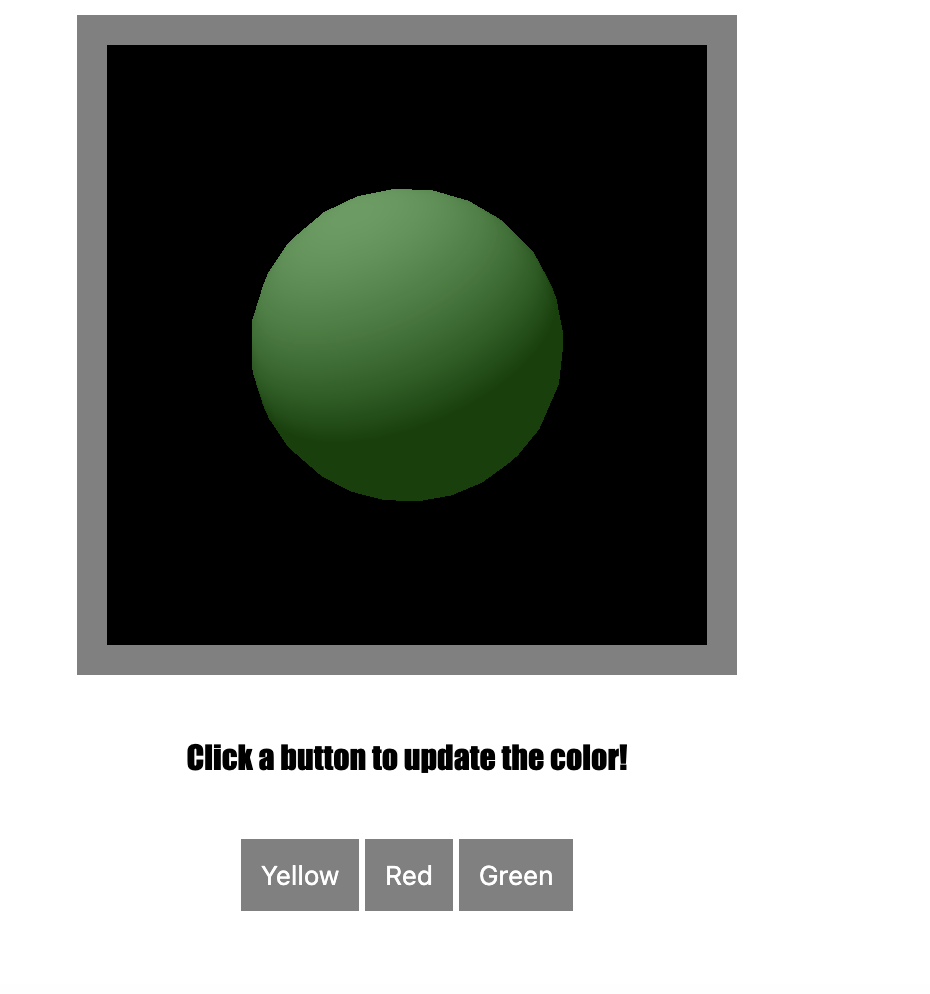
<img src="/assets/images/Using_p5.js_With_Html/4.png" alt="" /></p>

<p>see the full code below:</p>

<div class="language-html highlighter-rouge"><div class="highlight"><pre class="highlight"><code><span class="nt">&lt;html&gt;</span>
    <span class="nt">&lt;head&gt;</span>
        <span class="nt">&lt;meta</span> <span class="na">charset=</span><span class="s">"UTF-8"</span><span class="nt">&gt;</span>
        <span class="nt">&lt;title&gt;</span>My Sketch<span class="nt">&lt;/title&gt;</span>
        <span class="c">&lt;!-- The p5.js Library --&gt;</span>
        <span class="nt">&lt;script </span><span class="na">src=</span><span class="s">"p5.min.js"</span><span class="nt">&gt;&lt;/script&gt;</span>
    <span class="nt">&lt;/head&gt;</span>
    <span class="nt">&lt;body&gt;</span>
        <span class="nt">&lt;div</span> <span class="na">id =</span><span class="s">"container"</span><span class="nt">&gt;</span>

         <span class="c">&lt;!-- Div element for the p5.js sketch. --&gt;</span>
         <span class="nt">&lt;div</span> <span class="na">id=</span><span class="s">"sketch-div"</span><span class="nt">&gt;&lt;/div&gt;</span>
        <span class="nt">&lt;/div&gt;</span>
        <span class="nt">&lt;p&gt;</span>Click a button to update the color!<span class="nt">&lt;/p&gt;</span>
        <span class="nt">&lt;div</span> <span class="na">id=</span><span class="s">"button-div"</span><span class="nt">&gt;</span>
         <span class="c">&lt;!-- Buttons to Control the Color --&gt;</span>
         <span class="nt">&lt;button</span> <span class="na">id = </span><span class="s">"yellow-button"</span><span class="nt">&gt;</span>Yellow<span class="nt">&lt;/button&gt;</span>
         <span class="nt">&lt;button</span> <span class="na">id = </span><span class="s">"red-button"</span><span class="nt">&gt;</span>Red<span class="nt">&lt;/button&gt;</span>
         <span class="nt">&lt;button</span> <span class="na">id = </span><span class="s">"green-button"</span><span class="nt">&gt;</span>Green<span class="nt">&lt;/button&gt;</span>
        <span class="nt">&lt;/div&gt;</span>

          <span class="c">&lt;!-- Script element for the sketch. --&gt;</span>
    <span class="nt">&lt;script&gt;</span>
        <span class="c1">// Interactivity:</span>
        <span class="c1">//Click and Drag the scene to orbit, click the buttons to change the color of the sphere.</span>


       <span class="c1">//    Set the default color</span>
       <span class="kd">let</span> <span class="nx">myColor</span> <span class="o">=</span> <span class="dl">''</span>
        <span class="c1">// Set a reference to each button ID</span>
        <span class="kd">let</span> <span class="nx">redButton</span> <span class="o">=</span> <span class="nb">document</span><span class="p">.</span><span class="nf">getElementById</span><span class="p">(</span><span class="dl">'</span><span class="s1">red-button</span><span class="dl">'</span><span class="p">);</span>
        <span class="kd">let</span> <span class="nx">yellowButton</span> <span class="o">=</span> <span class="nb">document</span><span class="p">.</span><span class="nf">getElementById</span><span class="p">(</span><span class="dl">'</span><span class="s1">yellow-button</span><span class="dl">'</span><span class="p">);</span>
        <span class="kd">let</span> <span class="nx">greenButton</span> <span class="o">=</span> <span class="nb">document</span><span class="p">.</span><span class="nf">getElementById</span><span class="p">(</span><span class="dl">'</span><span class="s1">green-button</span><span class="dl">'</span><span class="p">);</span>

        <span class="kd">function</span> <span class="nf">setup</span><span class="p">(){</span>
            <span class="c1">// Initiate variables for the sketch-div element dimensions.</span>
            <span class="kd">let</span> <span class="nx">sketchDiv</span> <span class="o">=</span> <span class="nb">document</span><span class="p">.</span><span class="nf">getElementById</span><span class="p">(</span><span class="dl">'</span><span class="s1">sketch-div</span><span class="dl">'</span><span class="p">)</span>
            <span class="kd">let</span> <span class="nx">divWidth</span> <span class="o">=</span> <span class="nx">sketchDiv</span><span class="p">.</span><span class="nx">clientWidth</span><span class="p">;</span>
            <span class="kd">let</span> <span class="nx">divHeight</span> <span class="o">=</span> <span class="nx">sketchDiv</span><span class="p">.</span><span class="nx">clientHeight</span><span class="p">;</span>
            <span class="kd">let</span> <span class="nx">myCanvas</span> <span class="o">=</span> <span class="nf">createCanvas</span><span class="p">(</span><span class="nx">divWidth</span><span class="p">,</span> <span class="nx">divHeight</span><span class="p">,</span> <span class="nx">WEBGL</span><span class="p">);</span>
            <span class="c1">// Attach the parent element.</span>
            <span class="nx">myCanvas</span><span class="p">.</span><span class="nf">parent</span><span class="p">(</span><span class="dl">'</span><span class="s1">sketch-div</span><span class="dl">'</span><span class="p">);</span>
            
            <span class="c1">// A description of the sketch, for accesibility.</span>
            <span class="nf">description</span><span class="p">(</span><span class="dl">'</span><span class="s1">A 3D sphere on a grey background.</span><span class="dl">'</span><span class="p">)</span>
        <span class="p">}</span>

        <span class="kd">function</span> <span class="nf">draw</span><span class="p">()</span> <span class="p">{</span>
        
         <span class="nf">background</span><span class="p">(</span><span class="dl">'</span><span class="s1">black</span><span class="dl">'</span><span class="p">)</span>

         <span class="c1">// Add orbit control.</span>
         <span class="nf">orbitControl</span><span class="p">()</span>

         
         <span class="c1">//  Syle the sphere.</span>
         <span class="nf">lights</span><span class="p">()</span>
         <span class="nf">noStroke</span><span class="p">()</span>
         <span class="nf">ambientMaterial</span><span class="p">(</span><span class="nx">myColor</span><span class="p">)</span>
         <span class="c1">//Model the sphere.</span>
         <span class="nf">sphere</span><span class="p">()</span>
        <span class="p">}</span>

         <span class="c1">// check if buttons are clicked with Event Listeners.</span>
         <span class="nx">greenButton</span><span class="p">.</span><span class="nf">addEventListener</span><span class="p">(</span><span class="dl">'</span><span class="s1">click</span><span class="dl">'</span><span class="p">,</span> 
         <span class="p">()</span> <span class="o">=&gt;</span> <span class="p">{</span><span class="nx">myColor</span> <span class="o">=</span> <span class="dl">'</span><span class="s1">green</span><span class="dl">'</span><span class="p">})</span>
        
         <span class="nx">redButton</span><span class="p">.</span><span class="nf">addEventListener</span><span class="p">(</span><span class="dl">'</span><span class="s1">click</span><span class="dl">'</span><span class="p">,</span>
         <span class="p">()</span> <span class="o">=&gt;</span> <span class="p">{</span><span class="nx">myColor</span> <span class="o">=</span> <span class="dl">'</span><span class="s1">red</span><span class="dl">'</span><span class="p">})</span>
        
         <span class="nx">yellowButton</span><span class="p">.</span><span class="nf">addEventListener</span><span class="p">(</span><span class="dl">'</span><span class="s1">click</span><span class="dl">'</span><span class="p">,</span>
         <span class="p">()</span> <span class="o">=&gt;</span> <span class="p">{</span><span class="nx">myColor</span> <span class="o">=</span> <span class="dl">'</span><span class="s1">yellow</span><span class="dl">'</span><span class="p">})</span>

    <span class="nt">&lt;/script&gt;</span>
    <span class="nt">&lt;style&gt;</span>
        <span class="nt">body</span> <span class="p">{</span>

            <span class="nl">font-family</span><span class="p">:</span> <span class="n">Impact</span><span class="p">,</span> <span class="n">Haettenschweiler</span><span class="p">,</span> <span class="s2">'Arial Narrow Bold'</span><span class="p">,</span> <span class="nb">sans-serif</span><span class="p">;</span>
            <span class="nl">display</span><span class="p">:</span><span class="nb">flex</span><span class="p">;</span>
            <span class="nl">flex-direction</span><span class="p">:</span> <span class="nb">column</span><span class="p">;</span>
            <span class="nl">justify-content</span><span class="p">:</span> <span class="nb">center</span><span class="p">;</span>
            <span class="nl">align-items</span><span class="p">:</span> <span class="nb">center</span><span class="p">;</span>
            <span class="nl">gap</span><span class="p">:</span> <span class="m">15px</span>
        <span class="p">}</span>

        <span class="nf">#button-div</span> <span class="p">{</span>
            <span class="nl">flex-direction</span><span class="p">:</span><span class="nb">row</span><span class="p">;</span>
        <span class="p">}</span>

        <span class="nt">button</span> <span class="p">{</span>
            <span class="nl">flex-direction</span><span class="p">:</span> <span class="nb">row</span><span class="p">;</span>
            <span class="nl">padding</span><span class="p">:</span> <span class="m">10px</span><span class="p">;</span>
            <span class="nl">background-color</span><span class="p">:</span> <span class="n">grey</span><span class="p">;</span>
            <span class="nl">color</span><span class="p">:</span><span class="nx">white</span><span class="p">;</span>
            <span class="nl">border</span><span class="p">:</span><span class="nb">none</span><span class="p">;</span>
        <span class="p">}</span>
        <span class="nf">#sketch-div</span> <span class="p">{</span>
            
        <span class="nl">width</span><span class="p">:</span> <span class="m">300px</span><span class="p">;</span>
        <span class="nl">height</span><span class="p">:</span> <span class="m">300px</span><span class="p">;</span>

        <span class="p">}</span>
        <span class="nf">#container</span> <span class="p">{</span>
            <span class="nl">background</span><span class="p">:</span> <span class="n">grey</span><span class="p">;</span>
            <span class="nl">padding</span><span class="p">:</span> <span class="m">15px</span><span class="p">;</span>
            <span class="nl">height</span><span class="p">:</span><span class="m">300</span><span class="p">;</span>
            <span class="nl">width</span><span class="p">:</span> <span class="m">300</span><span class="p">;</span>
            
        <span class="p">}</span>
        <span class="nc">.p5Canvas</span> <span class="p">{</span>
            <span class="nl">position</span><span class="p">:</span> <span class="nb">absolute</span><span class="p">;</span>
        <span class="p">}</span>
    <span class="nt">&lt;/style&gt;</span>
    <span class="nt">&lt;/body&gt;</span> 
<span class="nt">&lt;/html&gt;</span>

</code></pre></div></div>]]></content><author><name>Jaxon</name></author><summary type="html"><![CDATA[One of the things that I still struggle with is how to integrate p5.js on a web page and make it interact with html elements. I figured I could make this tutorial to help remember some of these concepts as I learn them.]]></summary></entry></feed>